API Key Shopify: Create, Manage, and Rotate Credentials
You've copied what looks like a Shopify API key into a local environment file, sent a request, and received a 401. Or the request works until a scheduled sync starts producing 429 responses. The problem usually isn't the syntax. Shopify has several credential types, API surfaces, app models, and token lifecycles, and treating all of them as one “API key” creates fragile integrations.
The practical answer to api key Shopify questions starts with identifying the credential you need. Admin API access, Storefront API access, OAuth credentials, session tokens, and expiring offline tokens solve different problems. This guide covers how to choose, create, store, rotate, monitor, and troubleshoot them without exposing a client secret or building a rate-limit incident into your next deployment.
Table of Contents
- What a Shopify API Key Actually Is
- Admin credentials
- Storefront credentials
- Choosing Between Custom Apps and Public Apps
- Creating Your First Shopify API Key Step by Step
- Grant only the scopes you use
- Admin API vs Storefront API Authentication
- Why GraphQL changes the design
- Making Authenticated Requests the Right Way
- Storing, Rotating, and Securing Your Credentials
- Build the rotation path before you need it
- Monitor behavior, not just availability
- Troubleshooting the Most Common API Key Errors
What a Shopify API Key Actually Is
The phrase Shopify API key is convenient, but it hides an important distinction. Shopify doesn't issue one universal string that authenticates every API request. The client ID identifies an app, the client secret authorizes OAuth calls, and an access token is the credential sent with API requests. Shopify states that the access token carries the app's approved access scopes, which Shopify enforces on every request through its access token documentation.
That difference matters because the wrong credential can produce a confusing failure. A client ID can appear in frontend code, but a client secret must stay server-side. An Admin API token belongs in backend requests, while a Storefront token is designed for storefront operations and must not be treated as an Admin credential. A useful glossary can help when your team uses “key,” “secret,” and “token” interchangeably, especially during incident response. The Mara glossary is one reference for keeping technical terms consistent.
Admin credentials
For Admin API access, a custom or public app receives an Admin API access token after installation and authorization. That token is scoped to the permissions granted to the app. Older custom-app workflows may also expose an API key and API secret for the OAuth handshake, but those values aren't substitutes for the Admin access token used on ordinary REST or GraphQL calls.
Treat the Admin token as a server-side secret. It can grant read or write access to sensitive store resources, depending on its scopes, so exposing it in browser JavaScript effectively gives every visitor your backend's privileges.
Storefront credentials
The Storefront API uses a separate Storefront access token. It supports customer-facing experiences, including custom storefronts and headless implementations, with permissions configured for Storefront API use. It isn't an alternative route to Admin resources such as inventory management, draft orders, or customer personal information.
Shopify's current model is increasingly token-based and context-specific. Apps can have a maximum of 100 active storefront access tokens per shop, while public Storefront access scales with buyer traffic and automated traffic is rate-limited, rather than using one fixed request-per-minute ceiling for real buyers. The credential's name matters less than its token type, scope, shop, and API surface.
Choosing Between Custom Apps and Public Apps
Choose the app model before you create credentials. A custom app is tied to one Shopify store and fits an internal integration, a warehouse connector, a reporting job, or a back-office script owned by one merchant. A public app is built for installation across multiple stores and uses OAuth to issue a separate authorization result for each shop.
The trade-off is operational. Custom apps are simpler when you control the store, but they don't provide a distribution model for unrelated merchants. Public apps require more careful OAuth state handling, per-shop token storage, uninstall handling, and Shopify's review process, but they're the correct foundation for a product that connects many stores.
| Factor | Custom App | Public App |
|---|---|---|
| Best fit | One store or an internal system | A product installed by multiple merchants |
| Authorization | Store-specific installation and permissions | OAuth authorization for each store |
| Token storage | Usually one tenant's credentials | Separate credentials for every authorized shop |
| Operational burden | Lower distribution overhead | Higher onboarding, security, and lifecycle overhead |
| Credential recovery | Legacy tokens may require uninstall and reinstall | Refresh and revocation logic must be part of the app |
| 2026 direction | Use Shopify's current app flow, not legacy assumptions | New public apps must support expiring offline access tokens |
Shopify's roadmap makes old tutorials especially risky. Shopify says new public apps must request and use expiring offline access tokens starting April 1, 2026, and all public apps are planned to use that model by January 1, 2027, as documented in its expiring offline token announcement. The same announcement says new legacy custom apps can no longer be created starting January 1, 2026.
Decision rule: If your integration serves one store, use a current custom-app flow. If merchants install it across stores, build a public app around OAuth and token refresh from the beginning.
Don't select an app type because an old guide shows a familiar “API key” field. Select it based on where the integration will run, who owns the store, and whether you need a lifecycle that supports multiple tenants.
Creating Your First Shopify API Key Step by Step
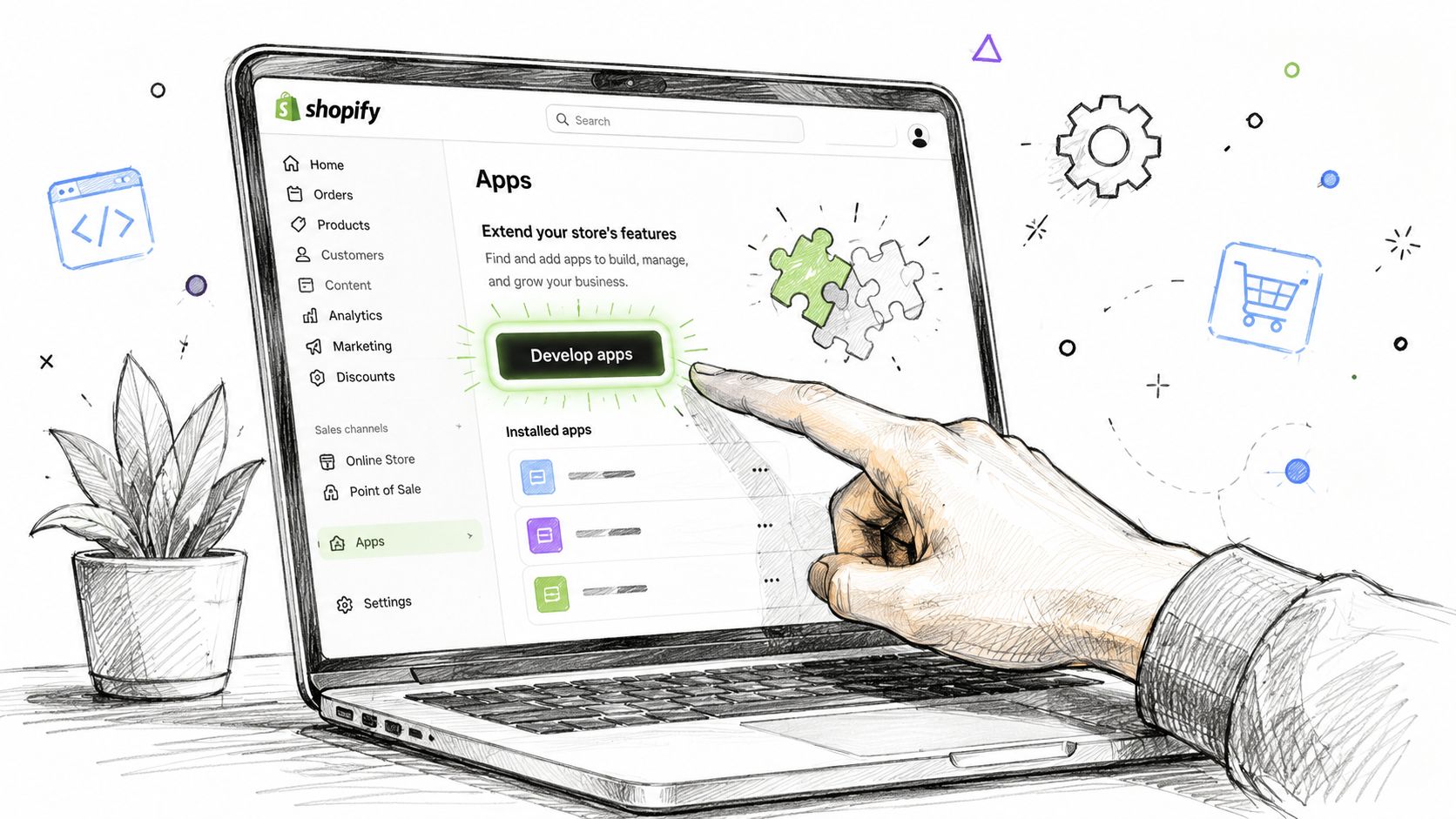
Start in the Shopify admin for the store you control. Open Settings, choose Apps and sales channels, then open Develop apps. If Shopify asks you to create an app or accept development terms, complete that step before continuing.
Select Create an app, provide the app name and developer email, and save it. Open the Configuration tab, then choose Configure on the Admin API or Storefront API integration tile. Pick the surface before choosing scopes, because an Admin integration and a storefront integration don't need the same permissions.
Grant only the scopes you use
Select the narrowest permissions that support the job. An order synchronizer may need order read access, while a catalog tool may need product read access. A service that publishes blog content shouldn't request customer, payment, or inventory permissions unless its actual feature set requires them.
Over-scoping creates two problems. It increases the impact of a leaked token, and it makes a public app harder to justify during security review. Shopify's credential management guidance also separates the client ID, which can be used in frontend code, from the client secret, which must never be exposed there and should be kept in environment variables or a secrets manager.
Save the configuration, return to the app overview, and select Install app. For Storefront API access, copy the token shown in the API access area. For a new custom Admin app, copy the Admin API access token displayed during installation and store it immediately.
The token reveal is an operational checkpoint, not a screen to dismiss. Put it into your secrets manager or protected environment configuration before you close the page, then verify that your application can read it without printing it to logs.
For a visual walkthrough of the install flow, use the following reference after you've reviewed the scopes:
If the admin only shows an API key and API secret, you're likely looking at a legacy workflow. Don't build new production assumptions around it. Shopify's legacy custom-app guidance explains that some admin-created tokens are shown only once, can't be rotated directly through the key and secret, and may require uninstalling and reinstalling the app to generate a replacement.
Admin API vs Storefront API Authentication
A request can target the correct shop and still fail because it uses the wrong authentication surface. Admin REST and Admin GraphQL require an Admin API access token issued to a custom or public app. Storefront GraphQL uses a separate Storefront API access token for customer-facing queries and mutations.
| Surface | Token type | Header | Typical use |
|---|---|---|---|
| Admin REST | Admin API access token | X-Shopify-Access-Token | Products, orders, fulfillment, and operational data |
| Admin GraphQL | Admin API access token | X-Shopify-Access-Token | Schema-driven reads and writes with query-cost control |
| Storefront GraphQL | Storefront API access token | X-Shopify-Storefront-Access-Token | Headless catalog, cart, and customer-facing storefront features |
The headers are not interchangeable. A Storefront token cannot grant Admin access, while exposing an Admin token to browser code creates a credential leak. Storefront credentials also cannot read protected Admin resources such as draft orders, inventory, or customer personal information. For implementation details, see the Shopify API authentication documentation.
Why GraphQL changes the design
GraphQL is usually the more durable choice for new Admin integrations because its schema makes requested fields explicit, and Shopify evaluates query cost. Shopify documents cost throttling of 100 points per second for standard stores, 200 for Advanced, 1,000 for Plus, and 2,000 for Commerce Components in its API limits documentation. A large selection set can therefore matter more than the raw count of HTTP requests.
Admin REST remains practical for an existing integration or a small operation that maps cleanly to one endpoint. Shopify documents a standard REST limit of 40 requests per app per store per minute, replenished at 2 requests per second, with a 10x increase for Shopify Plus stores, in its Admin REST API reference. Queue writes and apply backoff. Do not assume Plus capacity applies to every store.
Authentication also depends on where the integration runs. A native app can keep Admin credentials close to its controlled backend, while middleware may centralize retries, mapping, and token handling across systems. Teams connecting Shopify to an ERP should document whether the design is native, middleware-based, or hybrid. The comparison of native apps versus middleware for ERP helps frame that decision.
Making Authenticated Requests the Right Way
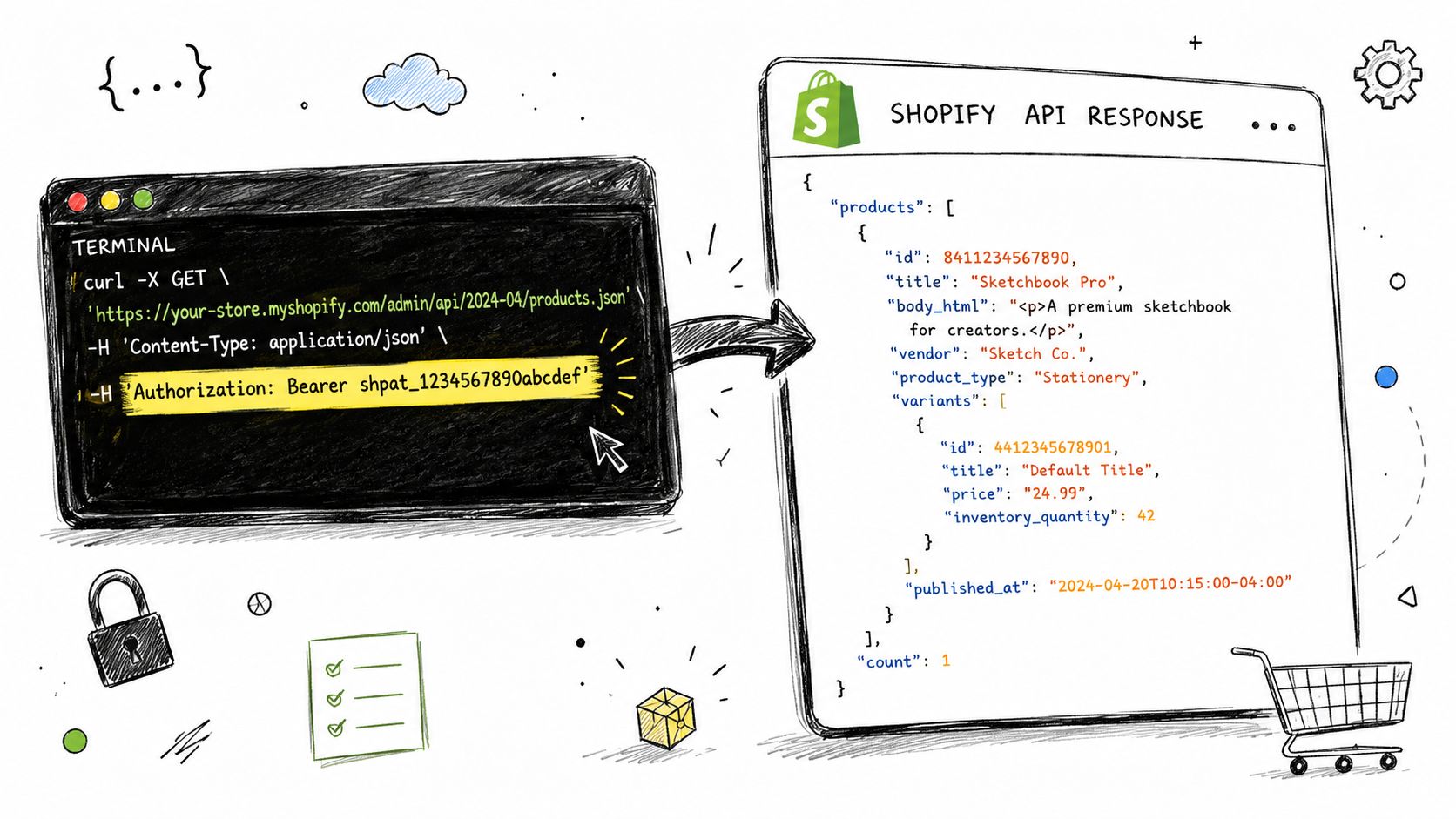
An Admin REST request puts the access token in the X-Shopify-Access-Token header. Keep the shop hostname aligned with the store that authorized the app, and load the token from a protected runtime variable rather than embedding it in source code.
curl -X GET "https://mystore.myshopify.com/admin/api/2026-04/products.json" \
 -H "X-Shopify-Access-Token: $SHOPIFY_ADMIN_TOKEN" \
 -H "Content-Type: application/json"
A Storefront request uses GraphQL and a different header. This example asks for the shop name and a small product connection, which is preferable to fetching a broad payload and discarding most of it.
curl -X POST "https://mystore.myshopify.com/api/2026-04/graphql.json" \
 -H "X-Shopify-Storefront-Access-Token: $SHOPIFY_STOREFRONT_TOKEN" \
 -H "Content-Type: application/json" \
 -d '{"query":"query { shop { name } products(first: 5) { nodes { title } } }"}'
The Admin GraphQL client should expose Shopify's throttle information to your logs and metrics without logging the token itself.
import { shopifyApi, ApiVersion } from "@shopify/shopify-api";

const shopify = shopifyApi({
 apiKey: process.env.SHOPIFY_CLIENT_ID,
 apiSecretKey: process.env.SHOPIFY_CLIENT_SECRET,
 scopes: ["read_products"],
 hostName: process.env.APP_HOST,
 apiVersion: ApiVersion.April26,
});

const client = new shopify.clients.Graphql({
 session: adminSession,
});

const response = await client.request(`
 query {
 products(first: 50) {
 nodes { id title }
 }
 }
`);

// Inspect X-Shopify-Shop-Api-Call-Limit for REST responses
// and extensions.cost.throttleStatus for GraphQL responses.
Three implementation habits prevent most avoidable incidents:
- Batch reads: Use connection fields and pagination instead of looping over individual IDs.
- Control writes: Queue mutations, retry transient failures with backoff, and honor throttling signals.
- Separate credentials: Use distinct Admin and Storefront variables, with names that make accidental substitution difficult.
If your integration also needs to publish content or synchronize other business systems, decide whether Shopify should connect directly or through an orchestration layer. That architectural choice affects where retries, transformations, and credential ownership belong. In every design, the token belongs in an environment variable or secrets manager, never inline in a committed file.
Storing, Rotating, and Securing Your Credentials
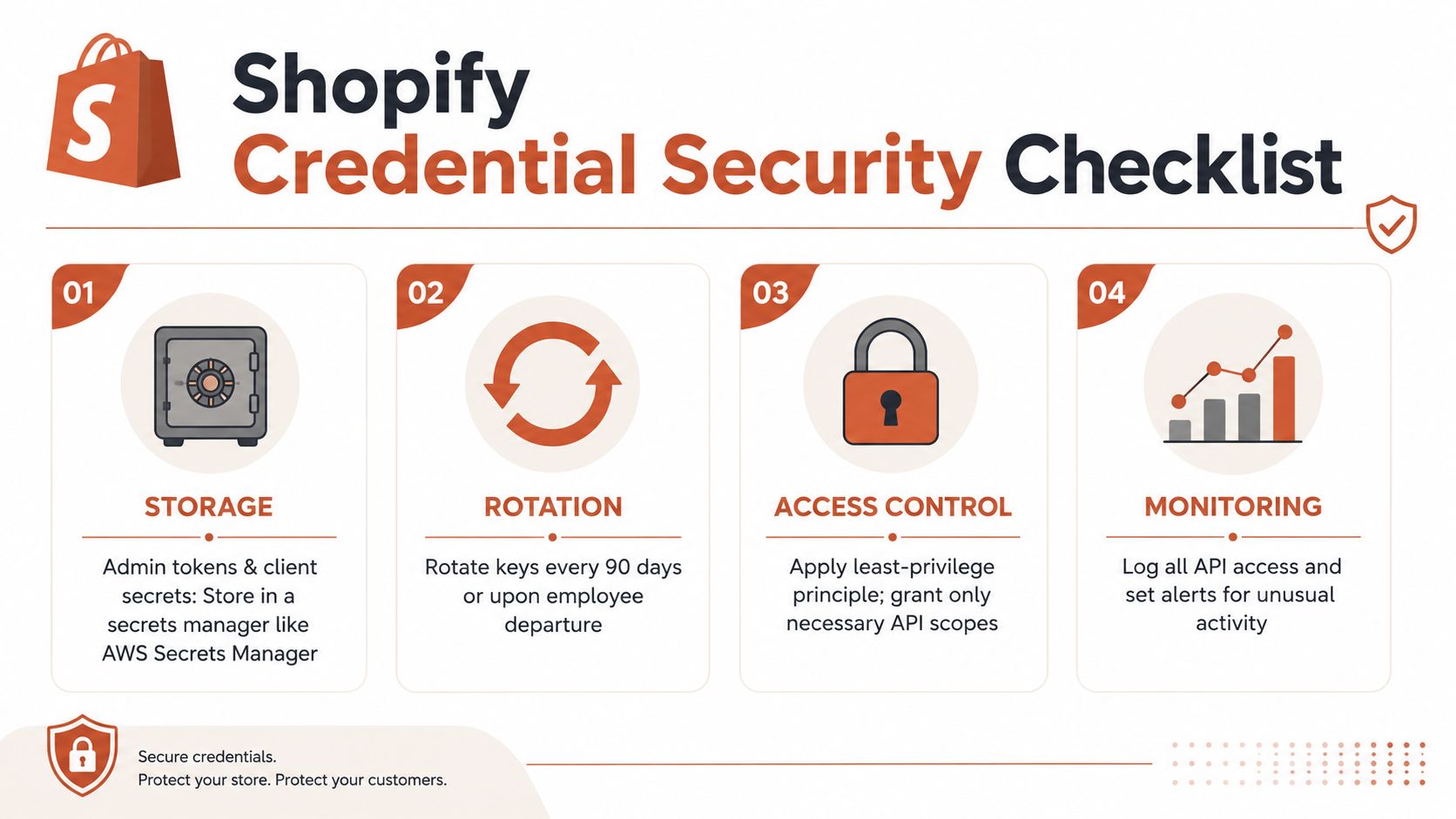
Credential management should have an owner, a storage location, a rotation procedure, and an alert path. Admin tokens and client secrets belong in a server-side secrets manager such as AWS Secrets Manager, GCP Secret Manager, HashiCorp Vault, or Doppler. Storefront tokens can be injected through protected environment configuration on the edge or application runtime, with a deployment hook that updates consumers when a replacement is issued.
Shopify's security guidance calls for validating HMACs, checking session-token claims, binding OAuth state correctly, requiring exact redirect URL matches, and encrypting stored tokens. Those controls address different failure modes. HMAC validation protects request integrity, OAuth state helps prevent forged authorization flows, and encryption limits the damage if a database snapshot or backup is exposed.
Build the rotation path before you need it
Legacy custom-app tokens have an awkward recovery model. Shopify says some tokens are revealed only once, and legacy admin-created custom apps can't rotate the API key or secret directly. If a credential is lost or compromised, uninstalling and reinstalling may be required to create a new token, which makes recovery disruptive.
The newer public-app model changes the failure mode rather than eliminating it. Shopify's announced move to expiring offline access tokens means your system needs encrypted server-side storage for the refresh token, refresh logic, and handling for a newly returned token pair. Never overwrite the old value before the new credentials have been validated and persisted successfully.
Use Mara's settings documentation as an example of the kind of operational documentation teams should maintain for connected services. The important principle is ownership. Record who can approve scopes, who can rotate credentials, and which deployment updates the secret.
Monitor behavior, not just availability
Alert on unexpected 401 responses, newly installed apps, repeated authorization failures, and unusual Admin API call-limit spikes. Redact authorization headers from application logs, audit access to the secret store, and test revocation or reinstall recovery in a non-production shop.
A credential is safe only when the team can detect misuse and replace it without improvising during an outage.
Troubleshooting the Most Common API Key Errors
Most Shopify authentication incidents fall into a small set of patterns. Start by recording the shop domain, API surface, token type, endpoint, response status, and whether the app was recently installed or reauthorized. That context usually separates a bad header from a scope problem or a throttling event quickly.
| Error / Status | Likely Cause | Fix |
|---|---|---|
| 401 Unauthorized | Missing or incorrect X-Shopify-Access-Token, expired token, or wrong shop hostname | Confirm the Admin header, token value, and .myshopify.com domain. For expiring credentials, refresh and persist the replacement pair |
| 403 Forbidden | The required scope wasn't granted, the app was uninstalled, or the resource belongs to another shop | Compare requested resources with granted scopes, confirm installation status, and verify the shop associated with the session |
| 429 Too Many Requests | REST leaky-bucket throttling or GraphQL query-cost throttling | Honor Retry-After, queue work, batch reads, reduce query cost, and back off instead of retrying immediately |
| Token expired or invalid refresh | The integration still uses an expired access token or discarded a rotated refresh token | Refresh server-side, save the new token pair atomically, and retry only after the credential update succeeds |
A 401 often comes from a request that never included the Admin header, used a Storefront header against an Admin endpoint, or targeted a custom storefront domain instead of the shop's Shopify hostname. Check the resolved environment variable in a secure diagnostic path, not by printing the secret.
A 403 is usually authorization rather than authentication. The token may be valid, but the app lacks the required scope, the app was removed, or the resource belongs to a different store. Reinstalling without checking the configured scopes can reproduce the same failure.
A 429 requires pacing. REST uses a leaky-bucket model, while Admin GraphQL uses calculated query cost. Respect the response guidance, reduce unnecessary fields, and avoid retry storms from parallel workers.
Operational check: A refresh flow isn't complete until the replacement credentials are encrypted, persisted, and available to the next process restart.
For expiring offline access tokens, treat refresh errors as a state-management problem. Refresh tokens rotate, old access tokens stop working, and a process that keeps only an in-memory value will fail again after deployment. Persist the new pair, associate it with the correct shop, and record the authorization event without logging the credential.
Mara can help product teams connect lifecycle messaging to internal product and billing events through a server-to-server API, with approval controls and an audit log for outbound email operations. If your Shopify integration feeds customer or subscription events into a broader retention workflow, visit Mara to evaluate whether it fits alongside your existing systems.