10 Activation Examples for SaaS Email and Product Flows
Activation doesn't depend mainly on clever copy. A polished welcome email can't rescue a signup who doesn't understand the first valuable action, lacks the required data, or was never a good fit for the product. Activation means reaching the product action that demonstrates initial value, so the strongest activation examples coordinate a trigger, a behavioral signal, a low-friction next step, and relevant product context.
That distinction matters because activation remains a major SaaS bottleneck. A 2026 benchmark recorded median activation rates of 38% for B2B SaaS, 44% for fintech, 62% for e-commerce, 29% for B2B services, and 35% for vertical SaaS (2026 customer-onboarding benchmark). The examples below treat lifecycle programs as event-driven systems, not isolated emails. Each one is annotated through the same lens: trigger, user state, message or flow, strategic mechanism, implementation detail, and reusable takeaway. Together, the ten plays cover onboarding, feature use, segmentation, retention, expansion, billing recovery, and the operational work that keeps each journey accurate.
Table of Contents
- 1. Welcome Series Automation
- Build the first path around one action
- 2. Activation Milestone Nudges
- Separate friction from fit
- 3. Feature Adoption Campaigns
- Match education to demonstrated need
- 4. Behavior-based Segmentation and Personalization
- Start with outcome-linked cohorts
- 5. Variant Testing and Multi-armed Bandit Optimization
- Let the test follow the event
- 6. Churn-save and At-risk Campaigns
- Make the intervention diagnostic
- 7. Re-engagement and Win-back Campaigns
- Use prior value as the bridge
- 8. Expansion and Upsell Campaigns
- Lead with the account's next constraint
- 9. Dunning and Failed Payment Recovery
- Keep the payment action frictionless
- 10. Reply Handling and Conversation Threading
- Turn replies into product signals
- Top 10 Activation Examples Comparison
- Turn the Examples Into an Activation System
1. Welcome Series Automation
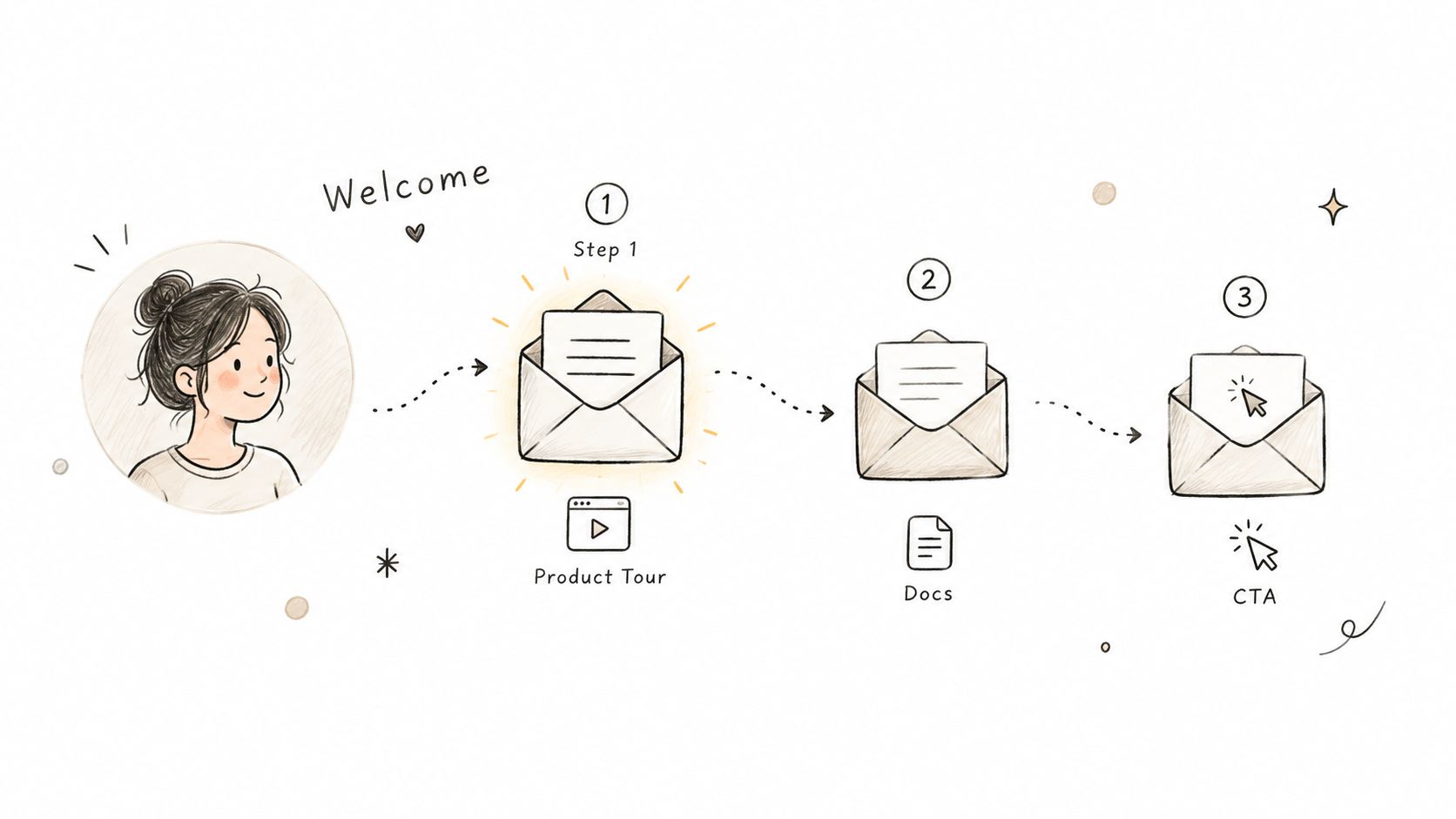
A welcome series starts with the signup event, but it shouldn't end with a generic “thanks for joining” message. The first email should orient the user around the product's value and one immediate action. Follow-up messages can then respond to whether that action happened, rather than assuming every new account follows the same path.
Slack, for example, can guide a new workspace owner toward creating a channel and inviting teammates. Notion can introduce template galleries and workspace setup progressively, while Intercom can combine feature orientation with a route to customer success. Those examples work because the message points to a product action that makes the account more useful.
Build the first path around one action
A practical sequence might introduce the value proposition, direct the user to initial configuration, and then provide help if the configuration remains incomplete. Segmenting by plan tier or signup source keeps the route relevant. A developer who arrives through documentation may need a different first action from a buyer who requests a team trial.
The welcome email automation guide is useful when mapping that first journey. Keep one primary call to action in each message, and use product and website content to keep feature descriptions current. If the address itself affects deliverability, an Email Validation API can support cleaner data before the sequence begins.
Practical rule: A welcome email should make the next product action obvious, measurable, and easy to complete.
The reusable takeaway is to treat signup as the trigger, not the activation event. The series earns its place by moving users toward a defined value moment and handing stalled users into a different flow.
2. Activation Milestone Nudges
Milestone nudges target the user who started but stopped. The trigger might be a signup followed by no login, a workspace created without configuration, or a trial account that has not completed its first successful action. The user state is not “disengaged” in the abstract. It's a specific missing event.
Calendly could nudge a user who hasn't scheduled a first event. Airtable could address a base creator who hasn't added a first record, while Zapier could focus on a workflow whose first Zap hasn't run successfully. Each message should name the missing step and connect it to the value the user expected.
Separate friction from fit
A nudge can't solve every inactive account. Independent SaaS analysis distinguishes users blocked by onboarding friction from users who were never a good fit, and estimates that 40% to 60% of signups never activate (SaaS user activation framework). That distinction changes the intervention. A confused but relevant user needs guidance or support. A poor-fit signup may need better qualification rather than more email.
Use a small set of milestone events and measure completion by acquisition source, role, team size, and use case. The email marketing automation workflow can then route users according to what they did or failed to do, instead of sending every trial member the same reminder.
A useful nudge has three parts:
- Observed gap: Identify the unfinished action without blaming the user.
- Value reminder: Explain what becomes possible after completion.
- Support route: Offer chat, email, or a call when the barrier isn't self-serve.
The reusable takeaway is diagnostic discipline. A low milestone rate is a signal to investigate, not proof that the email needs more urgency.
3. Feature Adoption Campaigns
Feature adoption becomes an activation play when a feature is the next credible route to value for a user who has already crossed an earlier milestone. The trigger can be a product event, an eligibility condition, or an underuse pattern. The message shouldn't lead with the feature name. It should explain the problem the feature solves for that account.
GitHub might reach users who haven't tried GitHub Actions and frame automation around their workflow. Stripe can notify eligible merchants about payment methods such as Apple Pay. Figma can address teams approaching collaboration limits with a relevant collaboration capability. In each case, the product event supplies context that a static newsletter lacks.
Match education to demonstrated need
A user who has created several files may need collaboration guidance. A merchant already processing payments may benefit from a payment-method explanation. A developer who has deployed once may be ready for automation. These are different states, so the campaign should use separate audiences and distinct examples.
The product-led growth strategy context helps connect feature education to actual product behavior. Include a concise use case, a direct action, and, where available, proof from similar customers. Don't promote every underused feature. Prioritize features that remove an observed barrier or deepen the value of an action the user already completed.
The trade-off is reach versus relevance. Broad feature announcements are easier to operate, but event-driven campaigns take better product instrumentation and clearer eligibility rules. The reusable takeaway is to let adoption data select the audience, then let the user's existing workflow determine the message.
4. Behavior-based Segmentation and Personalization
Segmentation is the control layer behind most effective activation flows. It turns raw events into user states such as “activated trial,” “configured but unused,” “power user,” or “declining engagement.” The trigger isn't necessarily a single event. It can be a change in behavior that moves a contact into a new cohort.
A trial user who has completed activation shouldn't receive the same setup reminder as someone who never reached the core action. A power user may need expansion education, while a casual user needs help discovering a high-value workflow. An at-risk segment can combine declining login frequency with reduced feature use, then route the account toward customer success rather than another broadcast.
Start with outcome-linked cohorts
Lifecycle segmentation commonly uses behavior, engagement, purchase history, acquisition source, and customer value. Practical examples include active, at-risk, and lapsed users, as well as first-time and repeat buyers (lifecycle email marketing guide). The important question is not how many segments a team can create. It's whether each segment predicts a different next action.
Start with a few segments tied to activation, expansion, or churn. Document entry and exit rules, including the events that remove a user from a journey. Then compare behavior-based cohorts with static lists. If a segment can't change the message or follow-up, it may be adding complexity without adding decision value.
Personalization should also respect uncertainty. A single event can be ambiguous, so a high-stakes intervention may need multiple signals or human review. The reusable takeaway is to define segmentation as an operational decision system, not a collection of labels.
5. Variant Testing and Multi-armed Bandit Optimization
Testing matters only when the variant is judged against the actual business outcome. An activation email might produce opens without moving the user to the core product action. A subject line test can therefore optimize the wrong layer if the journey's goal is activation rather than attention.
A useful experiment starts with a trigger and a fixed audience state. Test one primary dimension first, such as subject line, body copy, call to action, or send timing. A platform such as Klaviyo may support bandit-style allocation, where send share shifts toward a stronger variant as signals accumulate. The system still needs a clear success metric and guardrails.
Let the test follow the event
A B2B SaaS onboarding sequence reported an 11.4% click-to-open rate, compared with a 2025 benchmark of about 6.8%, and an 18% increase in email-attributed trial-to-paid conversions over the quarter (SaaS onboarding lifecycle case study). The reported sequence used event-triggered messages, with each email responding to a recent user action instead of a fixed schedule. That makes the result relevant to activation systems because the test compared messaging within a behavior-led journey, not just isolated creative.
Don't declare a winner after a single send. Give each variant enough exposure for the decision to be meaningful, then evaluate clicks and downstream activation or conversion according to the journey's purpose. Keep a record of winning ideas, but don't treat a past winner as permanent. Product changes, audience mix, and trigger quality can alter performance.
The reusable takeaway is to optimize the entire path from event to outcome. Bandit allocation can reduce manual overhead, but it can't define activation for you.
6. Churn-save and At-risk Campaigns
Churn-save belongs after activation, but it depends on the same event-driven logic. The trigger might be a sustained usage decline, reduced adoption of an important feature, or a support conversation that reveals a problem. The user state is an account showing risk, not a customer who has already cancelled.
Slack could detect a drop in workspace activity and invite the team to a success check-in. Salesforce could identify an organization with declining user adoption and offer account optimization. Notion could contact a workspace creator who hasn't invited teammates, especially if collaboration is central to the product's value.
Make the intervention diagnostic
A weak churn-save email treats the customer as a sales objection. A stronger one acknowledges the changed behavior and asks what blocked progress. The next action may be a support conversation, a configuration review, a training resource, or a product fix. A direct route to customer success is more appropriate for severe risk than a generic help-center link.
Create intervention tiers based on the seriousness and persistence of the decline. Use one message for a mild signal, another for repeated inactivity, and a human handoff when billing, bugs, or explicit cancellation intent appears. After the conversation, feed the result back into the product and lifecycle system. If many users cite the same setup barrier, another email alone isn't the complete remedy.
The trade-off is timing. Intervene too early and normal usage variation can feel intrusive. Wait too long and the customer may have already formed a replacement habit. The reusable takeaway is to combine product behavior with customer context before escalating.
7. Re-engagement and Win-back Campaigns
Re-engagement targets dormant users, while win-back targets customers who have already churned. Both need a reason to return, but the trigger and message should reflect the difference. A dormant user may need a reminder tied to prior activity. A former customer may need evidence that the product changed or that a previous obstacle no longer applies.
Netflix can highlight new shows for lapsed members. Adobe Creative Cloud can present new capabilities to former subscribers, while Duolingo can use a playful reminder tied to a learner's prior streak. These examples work when the message draws from known history rather than presenting an unrelated offer.
Use prior value as the bridge
Segment by what the person used, the problem they were solving, and the time since inactivity or cancellation. A former customer who relied on collaboration features should not receive a generic product tour. A dormant learner may respond to continuity, while a churned business account may need a concrete explanation of product or service changes.
Win-back also has a learning function. A short reason-for-leaving survey can reveal whether the loss came from price, missing capability, poor fit, or onboarding friction. That feedback should influence acquisition qualification and activation design, not just the next campaign.
Avoid assuming that every former customer should receive an incentive. Discounts can attract a return without resolving the original problem. The reusable takeaway is to make the return path more relevant than the departure path, then record why the person came back or declined.
8. Expansion and Upsell Campaigns
Expansion is an activation-adjacent capability, not activation itself. It becomes appropriate when an account has demonstrated value and its usage signals point to a new need. The trigger might be approaching seat limits, storage pressure, higher transaction volume, or repeated use of a capability associated with a paid tier.
Slack can contact a workspace nearing user-seat limits. Stripe can address high-volume users with a marketplace use case for Stripe Connect. HubSpot can reach accounts whose email volume suggests that a higher plan may fit. The common mechanism is observed product demand, not account age alone.
Lead with the account's next constraint
A usage signal should determine both audience and message. An account nearing a limit needs clarity about continuity and capacity. An account exploring a more advanced workflow needs an outcome-led explanation and possibly a sales conversation. Feature lists without a link to the account's current behavior create friction instead of relevance.
Expansion flows should also protect trust. Don't present a plan change as an emergency unless service continuity is at risk. Give users a clear comparison, a direct route to questions, and an option to remain on the current plan when the new capability isn't necessary.
The strategic trade-off is revenue opportunity versus premature pressure. A product-led route can support self-serve upgrades for clear use cases, while complex or high-value expansions may require sales or customer success involvement. The reusable takeaway is simple: activation proves value, expansion responds to the next verified need.
9. Dunning and Failed Payment Recovery
Dunning is a billing recovery system, not an activation campaign. It belongs in lifecycle architecture because a failed payment can interrupt a relationship that is otherwise delivering value. Relevant triggers include a failed recurring payment, an expired payment method, or a billing-status change.
Stripe's revenue recovery tools support Smart Retries and custom retry schedules in the Dashboard without requiring code (Stripe revenue recovery documentation). Independent guidance describes an operating window of roughly three to four weeks, about four retries, and sequences of three to five emails across roughly 14 to 30 days (subscription dunning email guide). Treat these as planning references, not guaranteed results.
Keep the payment action frictionless
The first message can arrive immediately or within a day of failure, followed by reminders aligned with later retry points. Each email should identify the problem, provide a trusted payment-update path, and explain how account access depends on recovery. The sequence needs product context: billing status should determine the message, access policy should determine the urgency, and a successful payment should end the journey immediately.
Coordinate email state with Stripe's retry state so a customer does not receive a failure reminder after the invoice is paid. Route unresolved cases to the appropriate billing or support workflow rather than continuing an automated sequence indefinitely.
The reusable takeaway is synchronization. Dunning supports activation indirectly by protecting access to an already-used product, while billing events, retry logic, access policy, and email state must remain consistent.
10. Reply Handling and Conversation Threading
Lifecycle email becomes more useful when replies return to the system instead of disappearing into an inbox. The trigger is an inbound response, and the user state may be confused, frustrated, interested, or ready to cancel. Categorizing that reply can determine whether the next action is a support response, a bug escalation, a billing handoff, or a journey exit.
Drift can route inbound replies to the appropriate team. Superhuman can categorize and summarize threads for priority, while Intercom can use support conversations to identify recurring issues. The operational value lies in connecting conversation data back to the original lifecycle event.
Turn replies into product signals
Review reply categories regularly and create alerts for billing issues, bug reports, and churn signals. Track which messages generate useful replies, not only which ones receive clicks. A reply that exposes a repeated onboarding misunderstanding may be more valuable than a high-engagement message that produces no activation.
Suggested responses can accelerate review, but approval controls matter when a response involves cancellation, billing, security, or a frustrated customer. The team should also update journey copy when reply patterns reveal unclear instructions. The customer support email workflows perspective is useful here because threading preserves the conversational context that a new broadcast message would lose.
The reusable takeaway is that reply handling closes the loop. It gives the lifecycle system qualitative evidence that product events alone can't provide.
Top 10 Activation Examples Comparison
| Tactic | Implementation Complexity 🔄 | Resource Requirements ⚡ | Expected Effectiveness ⭐ | Ideal Use Cases 📊 | Key Advantages & Quick Tip 💡 |
|---|---|---|---|---|---|
| Welcome Series Automation | 🔄 Moderate, setup triggers, sequence & branching | ⚡ Low-Medium: copywriters, templates, basic event tracking | ⭐⭐⭐⭐, improves activation (20-50%) | 📊 New user onboarding; first-touch activation | 💡 Establish cadence early; send first email within 5 minutes; one primary CTA per email |
| Activation Milestone Nudges | 🔄 High, requires reliable absence detection and timing | ⚡ Medium: event instrumentation, targeted copy, analytics | ⭐⭐⭐⭐, recovers stalled trials; measurable conversion lift | 📊 Users missing key milestones (first login/configuration/action) | 💡 Time nudges from historical drop-off data; use empathetic value-focused messaging |
| Feature Adoption Campaigns | 🔄 Medium-High, event triggers + targeted content | ⚡ Medium: tutorials, in-app links, segmentation | ⭐⭐⭐⭐, increases feature usage and upsell potential | 📊 Underutilized features; promote advanced capabilities | 💡 Lead with outcome/problem solved; include social proof and direct links |
| Behavior-based Segmentation & Personalization | 🔄 High, real-time segmentation infrastructure | ⚡ High upfront (event tracking) → lower ongoing cost | ⭐⭐⭐⭐⭐, highest lift in relevance and conversion | 📊 Personalized journeys at scale; predictive churn/expansion signals | 💡 Start with 3-5 predictive segments; document definitions and review regularly |
| Variant Testing & Multi-armed Bandit Optimization | 🔄 Medium-High, requires bandit algos and metrics | ⚡ Medium: sufficient send volume, tracking, analytics | ⭐⭐⭐⭐, continuous performance gains over time | 📊 Optimizing subject lines, copy, CTAs, send times | 💡 Test one primary dimension initially; ensure sufficient volume per variant |
| Churn-save & At-risk Campaigns | 🔄 High, behavioral models + personalized outreach | ⚡ Medium-High: CSM time, targeted offers, analytics | ⭐⭐⭐⭐⭐, strong ROI for retention when timed well | 📊 Early churn signals: declining usage, feature drop-off | 💡 Tier interventions by severity; make outreach about understanding, not just saving the sale |
| Re-engagement & Win-back Campaigns | 🔄 Medium, inactivity triggers and incentive flows | ⚡ Low-Medium: incentives, clean list management | ⭐⭐⭐, cost-effective re-acquisition (variable ROI) | 📊 Dormant or recently churned customers | 💡 Send first win-back within ~7 days of churn; tailor offers by past usage |
| Expansion & Upsell Campaigns | 🔄 Medium-High, usage thresholds & billing integration | ⚡ Medium: usage analytics, sales/CS alignment | ⭐⭐⭐⭐, high conversion potential; increases LTV | 📊 Accounts nearing limits or showing growth signals | 💡 Lead with ROI/outcome; offer direct sales conversation for enterprise cases |
| Dunning & Failed Payment Recovery | 🔄 Medium, payment integration and escalation logic | ⚡ Low-Medium: payment webhooks, template flows | ⭐⭐⭐⭐, recovers significant revenue (30-50% early) | 📊 Payment failures, expired cards, billing issues | 💡 Send first dunning within 1 hour; make payment update one‑click and escalate tone gradually |
| Reply Handling & Conversation Threading | 🔄 Medium-High, inbound monitoring, classification, threading | ⚡ Medium: NLP/categorization + review workflow | ⭐⭐⭐⭐, improves satisfaction and surfaces product issues | 📊 Turning broadcasts into two-way conversations; surfacing high-priority replies | 💡 Alert on billing/bug replies; review reply categories weekly to spot patterns |
Turn the Examples Into an Activation System
The ten examples form a sequence rather than a menu of unrelated campaigns. Welcome users around the first valuable action. Detect the milestone that remains incomplete. Personalize the next step according to the user's state. Educate users about features that match demonstrated needs. Learn from variants and replies, then connect activation signals to retention, expansion, win-back, and billing workflows.
A useful starting point is one measurable activation event, one audience segment, and one approved journey. The event might be a completed configuration, a successful first workflow, or another product action that demonstrates initial value. Define what should happen when the event occurs, what should happen when it doesn't, and which support or billing states should stop the sequence.
The benchmarks explain why this focus matters. Average B2B SaaS activation has remained around 37.5%, with one benchmark covering 62 companies reporting an average of 37.5% and a median of 37%. Another 2026 report covering 340 B2B SaaS companies recorded a 37% median, a 19% bottom quartile, and a 68% top quartile (2026 user onboarding statistics). That spread suggests that teams should study their own activation definition, audience mix, and friction points rather than copy a competitor's email timing.
The same source reports that median activation was 38% in 2024 and 2025, before slipping to 37% in 2026 (2026 user onboarding statistics). Tooling alone hasn't removed the onboarding problem. Teams still need event quality, useful segmentation, clear message-to-action mapping, and a measurement plan tied to activation and retention.
Time to value also changes with customer complexity. The 2026 onboarding benchmark found a median of 11 minutes for accounts under $5K ARR, compared with 23 days for accounts at $100K+ ARR (2026 customer-onboarding benchmark). A self-serve account may need a short event-triggered journey. A larger account may need contextual guidance across multiple stakeholders, so one universal activation sequence can misdiagnose normal complexity as failure.
Mara is one relevant option for teams that want to operationalize this system. It can draft lifecycle emails from website, repository, and past-email context, propose journeys from product and payment events, and support activation, feature adoption, expansion, re-engagement, churn-save, win-back, and dunning programs. Its event integrations include Stripe, Polar, webhooks, a direct Events API, and user-event providers such as Clerk and Supabase. Approval-only mode, optional auto-send or draft-only policies, and an audit log give teams control over how journeys operate.
The system also supports automatically computed behavior-based segmentation, variant generation with multi-armed bandit optimization, reply categorization with suggested responses, and weekly performance reporting in plain language. For a small product team, those capabilities address the operational gap between identifying an activation problem and maintaining the journey as the product changes. The right evaluation remains practical: verify the event, approve the message, observe the product action, and measure what happens next.
Mara helps software teams turn product and billing events into approved lifecycle journeys, including welcome, activation, feature adoption, churn-save, win-back, expansion, and dunning flows. Visit Mara to connect activation signals with behavior-based segmentation, testing, reply handling, and auditable email operations.